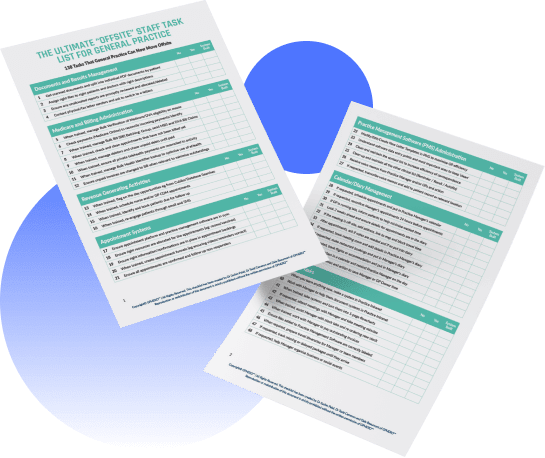


If you’re a GP owner or Practice Manager, it can feel like everything in admin needs fixing at once.
Phones.
Recalls.
Results.
CDM.
Accreditation.
Telehealth.
When everything feels urgent, the natural response is to work harder, stay later and “just push through” but that isn’t a strategy. It’s survival mode.
The good news? You don’t need to rebuild your entire admin system in one hit.
You just need to know where to start.
In this article, we’ll walk through a simple way to identify your clinic’s biggest “leaky bucket” and how to build the first step of a 90-day admin reset.
Step 1: Name Your #1 Admin Headache
Before you touch any workflows, ask one question:
“If we only fixed one admin problem in the next 90 days, what would make the biggest difference to staff and patients?”
For most General Practices we speak with, it’s one of these:
-
Phones & front desk pressure
Constant ringing, long waits, frustrated patients and staff who can’t catch up. -
Recalls & results backlog
Tasks living in a “when we get time” list, creating risk and anxiety. -
CDM & MBS work slipping
Care plans, reviews and billable items not acted on consistently. -
Accreditation and documentation
Policies, registers and evidence only touched when surveyors are due. -
Telehealth admin
Confusion about links, appointment types and follow-up for phone/video consults.
You might have pain in all of them but one will be hurting the most right now.
That’s your starting point.
Step 2: Map the Current Workflow (No Blame, Just Reality)
Once you’ve picked your #1 headache, spend 20–30 minutes mapping how it actually works today.
For example, if you choose recalls and results:
-
Who receives the initial result or reminder?
-
Where is it recorded?
-
Who decides what happens next?
-
How does the patient get contacted (and how many times)?
-
Where do staff get stuck or confused?
-
What happens when the person who “usually does it” is away?
Draw it on paper or a whiteboard. The goal isn’t perfection, it’s clarity.
As you map, you’ll typically see a few patterns:
-
Too many handoffs – lots of people touching the same task.
-
No clear owner – everyone assumes someone else is on it.
-
Mixed priorities – multiple systems (phone, inbox, sticky notes) competing.
-
No capacity – even when the workflow is decent, there’s simply no time.
Now you’re not dealing with “admin is a mess” you’re dealing with one specific workflow you can improve.
Step 3: Decide What Must Stay In-Clinic vs Can Be Supported Offsite
Next, divide the steps in your workflow into two buckets:
-
Must stay in-clinic
-
Needs clinical judgement
-
Involves sensitive conversations
-
Requires physical presence
-
-
Could be supported offsite
-
Structured, repeatable admin
-
Clearly defined rules or scripts
-
Easy to document and track
-
Using the recalls/results example:
Likely in-clinic:
-
GP reviewing results and making clinical decisions
-
Complex, sensitive conversations with patients
Possible offsite (with guidelines):
-
Generating recall lists
-
Sending standard reminders (SMS, email, phone under script)
-
Updating patient records once contact is made/not made
-
Tracking follow-up attempts and outcomes
You don’t have to move everything but you almost always find a chunk of work that doesn’t need to live on the front desk.
This is where GP-trained virtual assistants can plug in and relieve pressure without compromising safety or quality.
Step 4: Choose 3–5 Changes for the Next 90 Days
With your current workflow mapped and in-clinic/offsite roles sketched out, pick 3–5 realistic changes for the next 90 days.
Examples:
-
Create a simple recall protocol with clear steps and timeframes.
-
Assign a single owner (or team + VA) for daily recall processing.
-
Move specific steps (like list generation and initial reminders) to a GP-trained VA.
-
Add a basic weekly check: number of recalls actioned vs outstanding.
The key is to resist the urge to fix everything.
Focus on changes that:
-
Reduce staff stress
-
Lower risk
-
Are achievable with the capacity you have (plus any support you bring in)
Step 5: Measure Just Enough to Know It’s Working
You don’t need a complex dashboard. A few simple indicators will tell you whether your 90-day reset is working.
For recalls/results, this might be:
-
Size of recall backlog
-
Time from result received → first patient contact
-
Number of weekends staff spend “catching up” at home
Your aim isn’t perfection, it’s better than now in a sustainable way.
You Don’t Have to Do This Alone
Many clinics know what’s not working; they just don’t have the capacity or headspace to redesign it.
That’s where we come in.
At GP Hero, we help Australian General Practices:
-
Map and tidy up their admin workflows
-
Decide what stays in-clinic vs can be supported offsite
-
Bring in dedicated, GP-trained virtual assistants to keep things moving day to day
If your admin feels overwhelming and you’re not sure where to start, we’d be happy to workshop it with you.
👉 Book a free Admin Clarity Call and we’ll help identify your biggest “leaky bucket” and outline a 90-day plan for your clinic.
Less chaos. Clearer systems. More time for what matters, your patients.